Organize your tasks with a very detailed list manager
In my opinion, there's never too much organizational software to help scattered brains keep their life in order in today's busy world.
Task Coach Portable is a task management app that helps you take care of to-do tasks and lists in an easy to use and intuitive way. The developer claims that Task Coach Portable grew out of his frustration that well-known task managers, such as those provided with Outlook or Lotus Notes, do not provide facilities for composite tasks. The point being, tasks and to-do lists consist of several activities, but most organizers only allow for one entry.
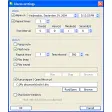
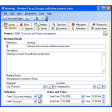
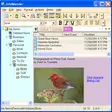
Task Coach Portable enables you to create, edit and delete tasks and sub tasks, which means it's much easier to see how the different parts of a master task relate to one and other. Tasks in Task Coach Portable can be labeled with a subject, description, priority, start date, due date, completion date and an optional reminder. They can also be viewed as a list or a tree and sorted by attributes, e.g. subject, budget, due date. For those working to a time schedule, Task Coach Portable also allow you to track time spent on certain jobs or tasks. All of these features mean that it's really easy to track and sort your tasks.
As useful as Task Coach Portable is, however, you can't help feeling you spend more time fiddling with the app rather than actually getting the tasks done. Then again, once you get the feel of Task Coach Portable, it's up to you to use as many - or as few - fields as you like.
As far as easy to use task schedulers go, Task Coach Portable is one of the more user friendly and intelligent out there, although maybe it's a little over the top for most people's needs.
This is a mixed feature and bugfix releaseBug fixed: Task Coach wouldn't start on Ubuntu 12.04Feature added: Added support for pipe as separator symbol when importing from CSV
Changes
This is a mixed feature and bugfix releaseBug fixed: Task Coach wouldn't start on Ubuntu 12.04Feature added: Added support for pipe as separator symbol when importing from CSV























User reviews about Task Coach Portable
Have you tried Task Coach Portable? Be the first to leave your opinion!